October update: analysis filters, gift presets and board improvements
Today's update adds filters and popular decks and plans to Analysis, and rebuilds Mirror Dungeon gift presets. Attack types and sin resources on decks and plans, and the frequently visited decks and plans on the boards, have been reworked too.
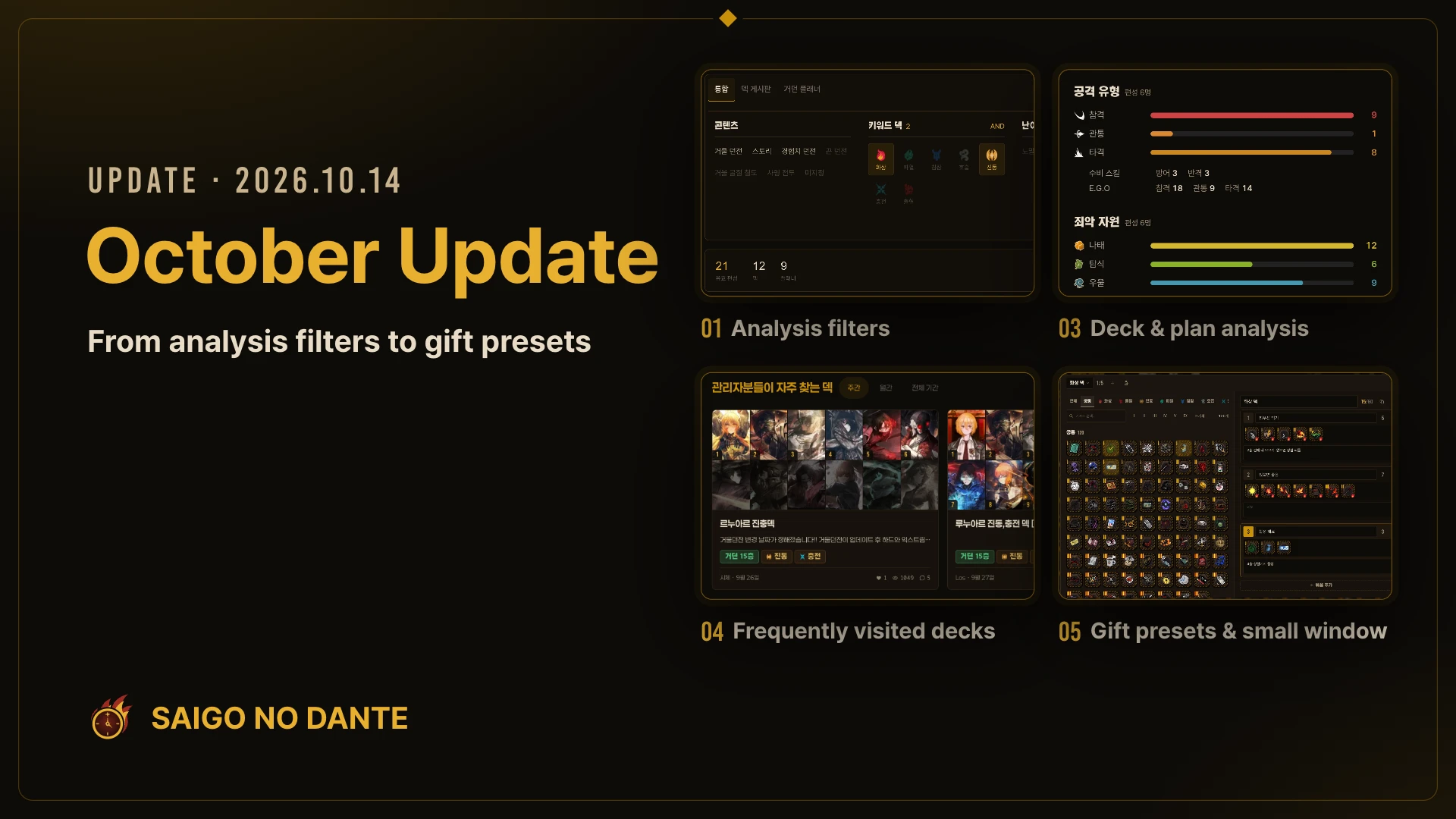
01 Analysis: Tools menu and filters
Analysis has moved from More to Tools in the top menu.
The Filters button at the top right narrows the data by Content, Keyword deck, Difficulty, Rarity and Sinner. You can pick several options in each.
Keyword deck and Sinner can switch between AND (all of them) and OR (any of them), so you can find decks built on two or more keywords, such as Burn and Tremor.
Your choices apply to every chart, the identity rankings and the Mirror Dungeon stats, and they stay in the address, so you can share the exact view.
Options with no results under the current choices are dimmed.
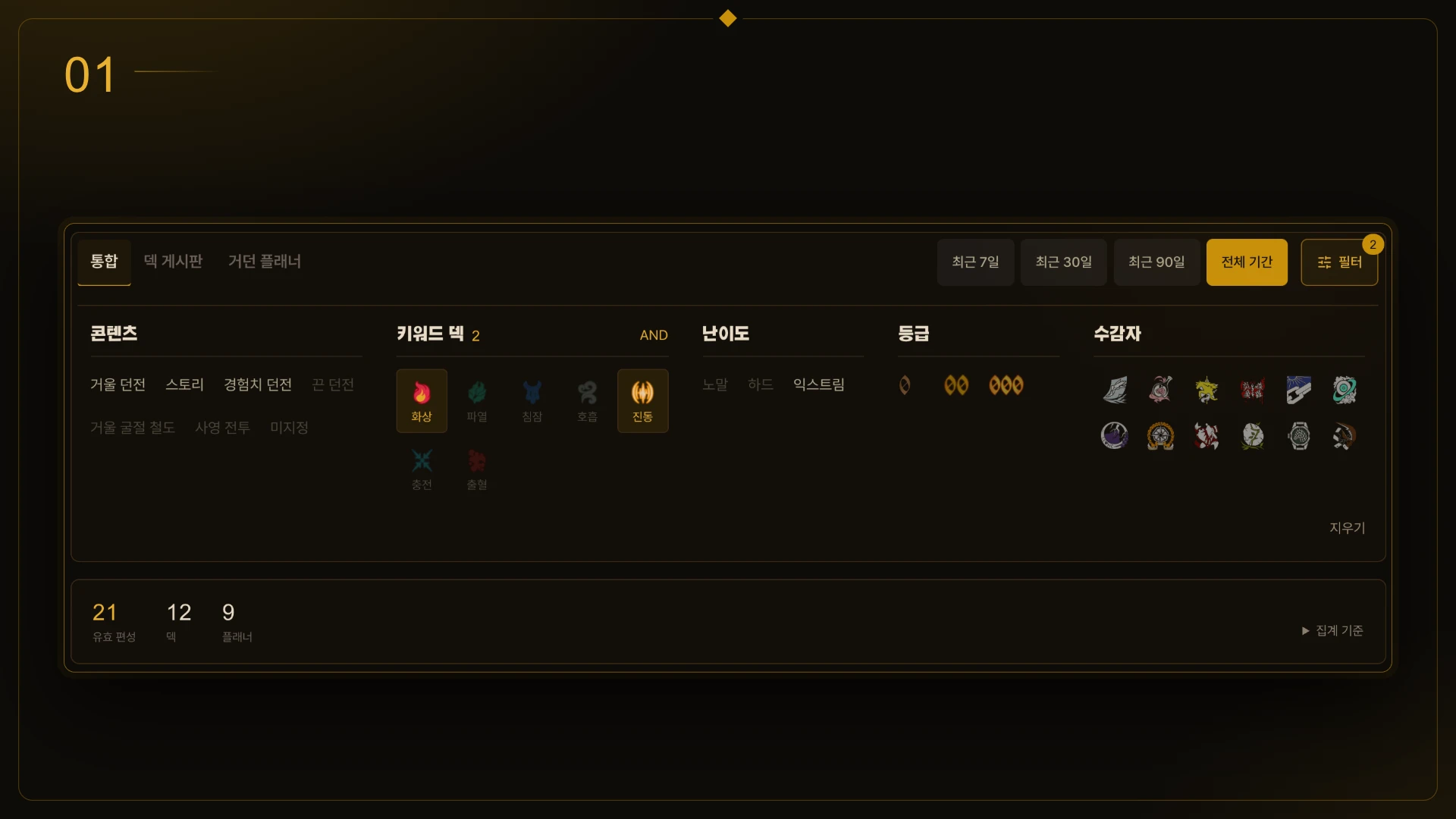
02 Analysis: popular decks and plans
Below the Overall tab, the six most recommended and viewed decks and plans in your current scope, period and filters are listed. The Mirror Dungeon tab shows popular plans.
On the Identities tab, Decks and plans using this identity are now sorted by popularity and show recommendations, views and comments. The first ten are shown; open the rest with Show more.
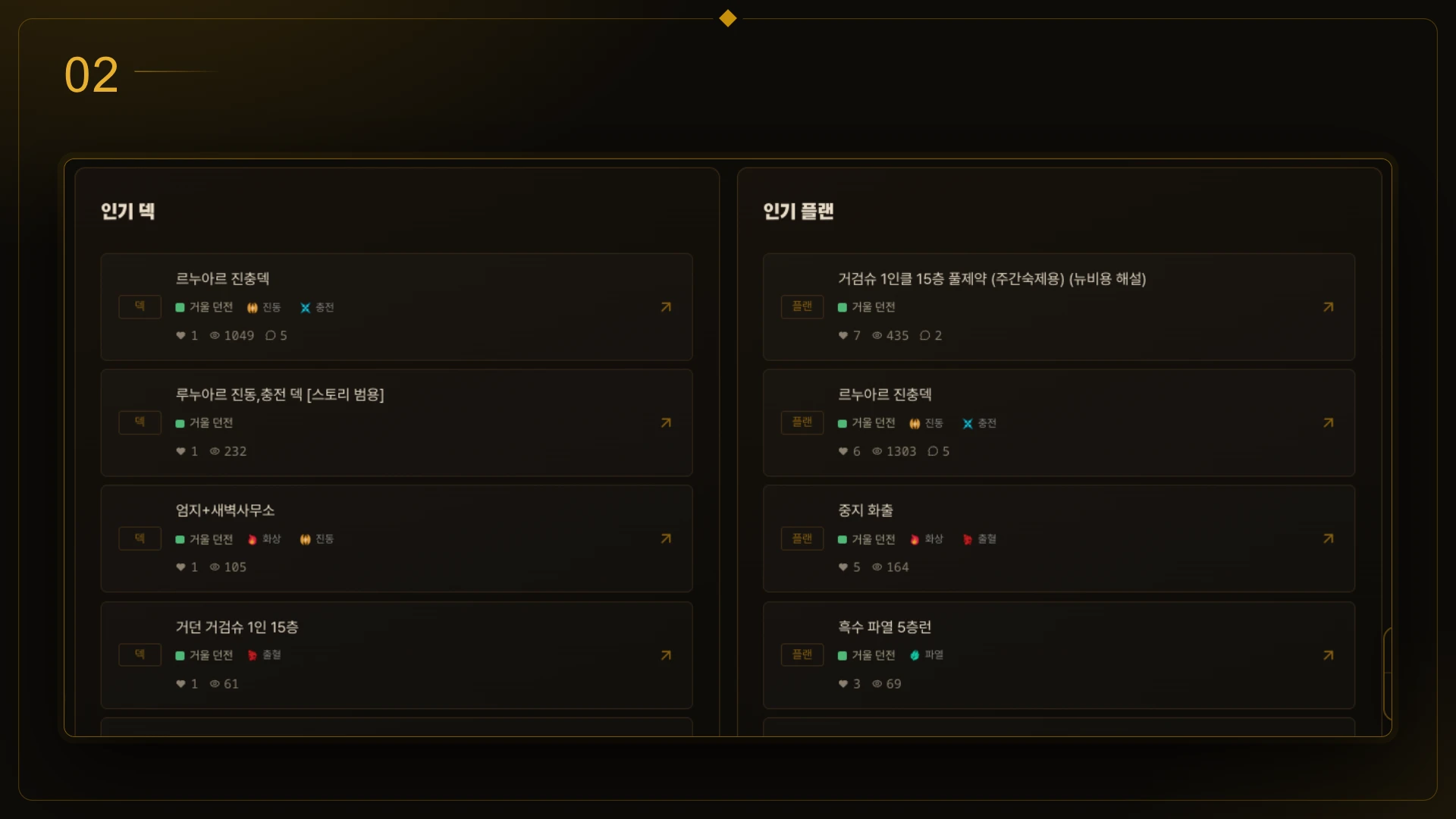
03 Attack types and sin resources of decks and plans
Attack types and sin resources are counted from deployed identities only. With none deployed, every identity in the deck counts.
Each identity's Skill 1, 2 and 3 count once, so seven deployed identities add up to 21 at most.
Defense skills and E.G.O attack types are kept out of the chart and listed on their own lines below it.
E.G.O cost is listed below as well. A sin the E.G.O need more of than your deployed identities produce is shown in red.
The same summary appears when you build a deck or write a plan, not only on the detail pages.
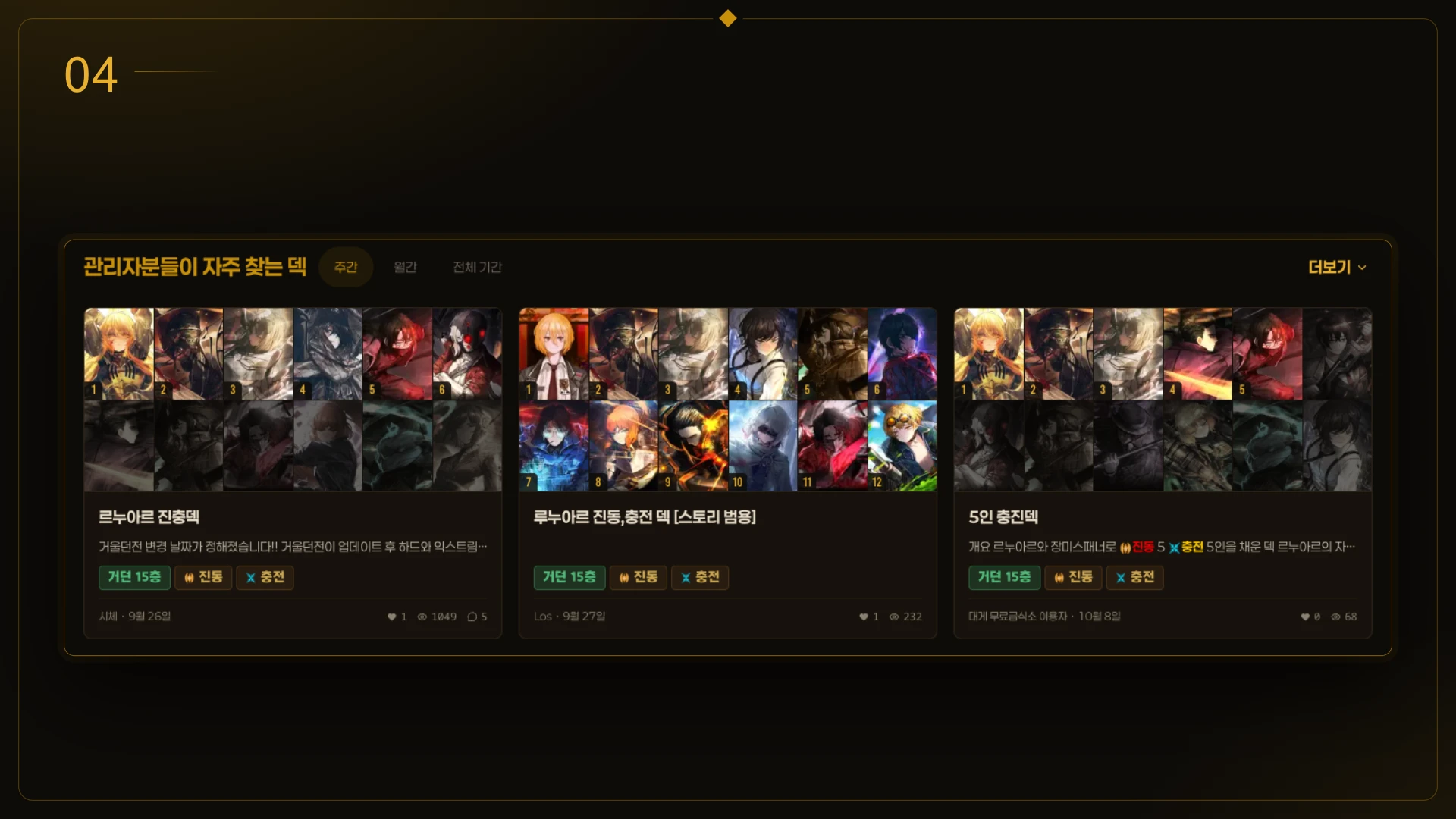
04 Frequently visited decks and plans
On the deck board and the plan board, the Weekly, Monthly and All time tabs now sit next to the Frequently visited decks/plans heading.
Switching tabs keeps the page in place and only swaps the list.
The order is visitors, then recommendations, then newest. One author appears at most twice in a row.
A deleted post's spot is filled by the next one in line.
05 Mirror Dungeon gift presets
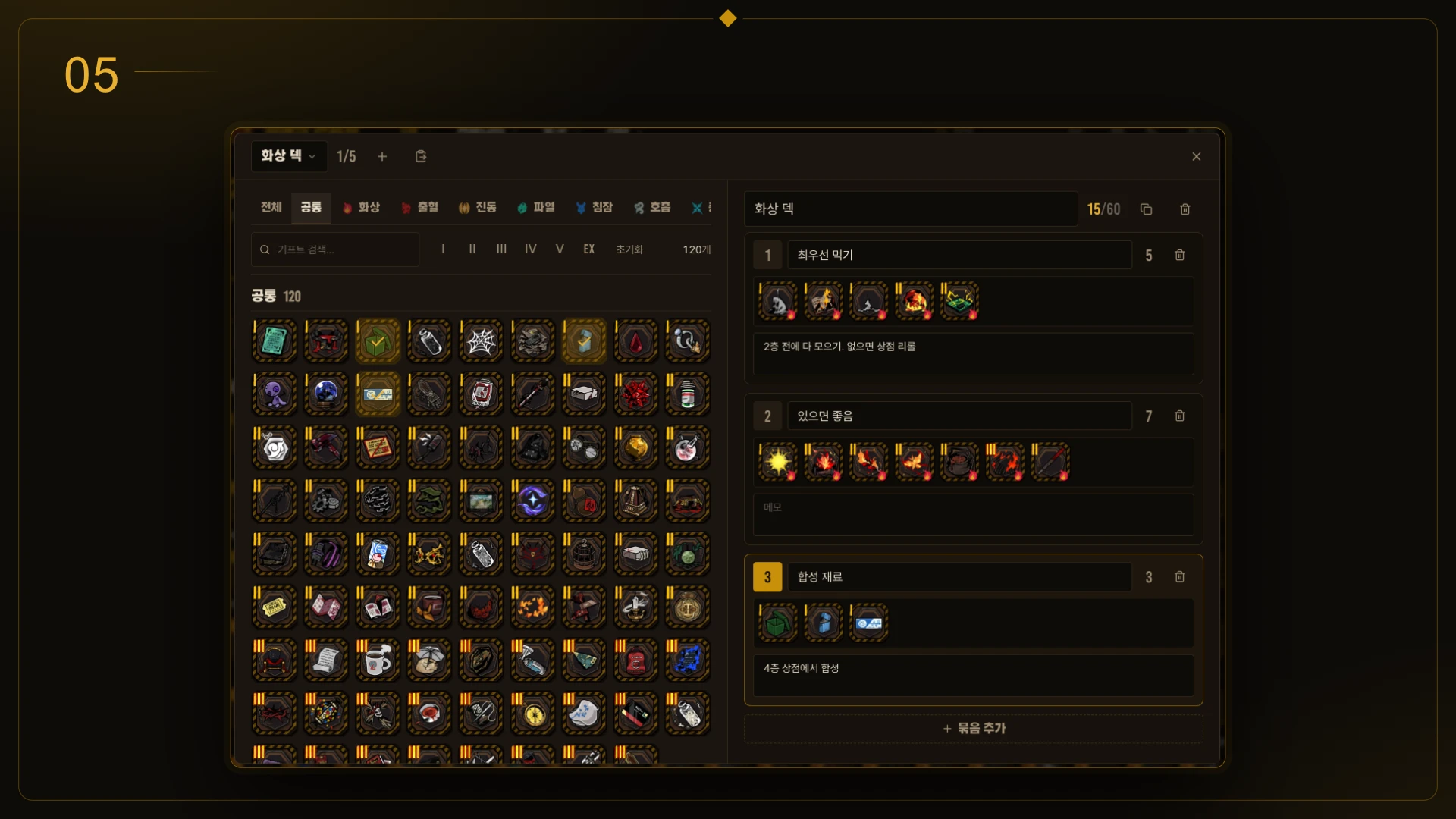
On the Gifts tab of Mirror Dungeon, the Preset button opens the editor. You no longer need to enter check mode first.
Name the preset at the top, then drag gifts from the list on the left into the groups on the right. You can also choose a group and press a gift.
Give each group a name, such as Top priority or Fusion materials, and leave a memo under it.
You can keep five presets, each with up to six groups and 60 gifts.
Share a preset with Copy code, and load someone else's with Import from code.
When signed in, presets are saved to your account and follow you to other devices. Presets made before signing in move to your account the first time you sign in (the first five).
06 Check mode and the small window
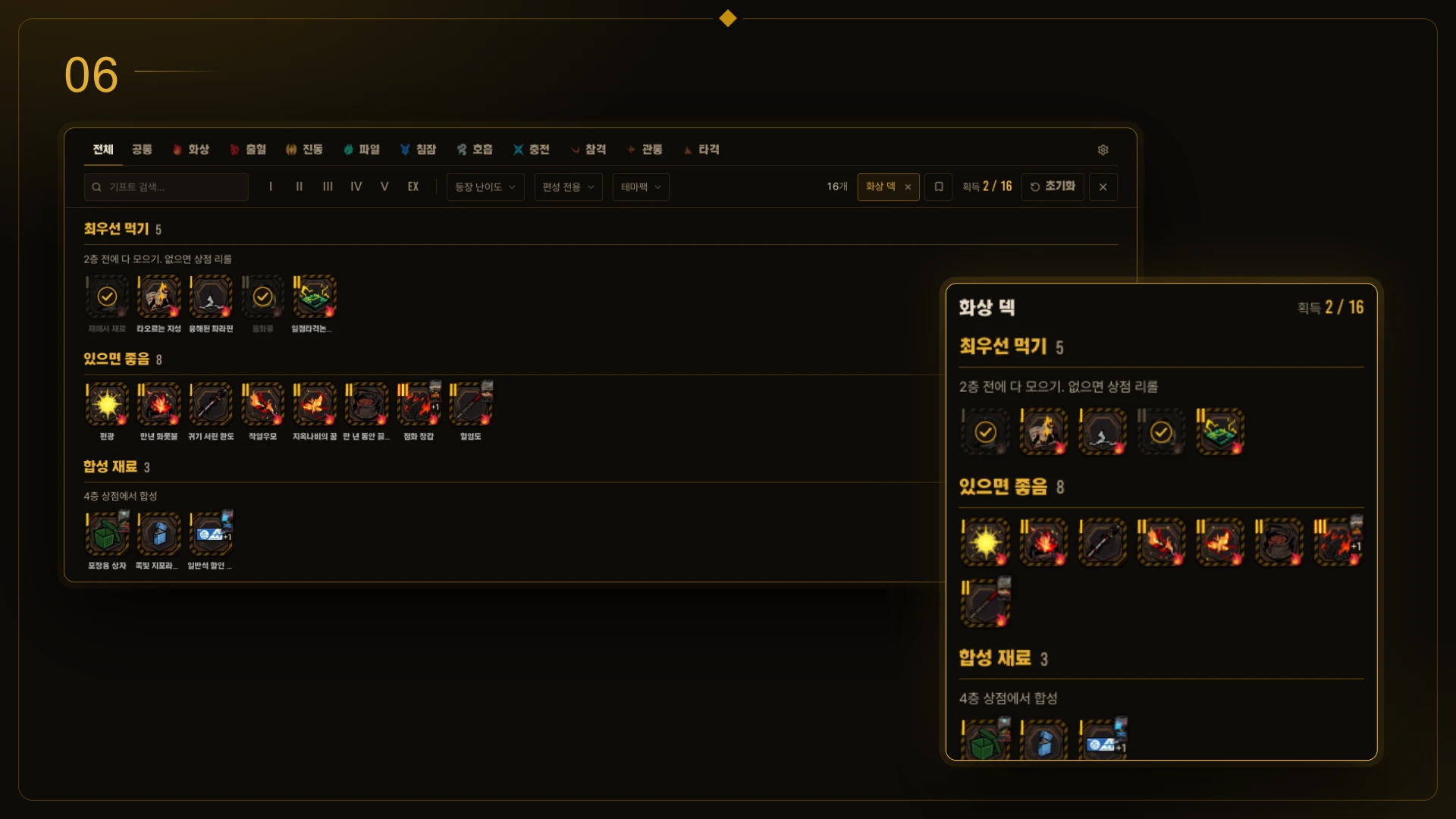
In check mode, choosing a preset shows only its gifts, group by group, with the memos. The obtained count is shown at the top.
Open in a small window opens the chosen preset in a small window that stays on top. You can check off gifts there while you play, and the page records them too.
Leaving check mode closes the small window.
Search
Every page now gives search engines such as Google, Bing and Naver its own title and description, so sinner, identity, E.G.O, deck and plan pages are easier to find.
The footer now links to the DB, Community and Tools pages.
Good to know
The small window works in desktop Chrome and Edge. The button does not appear on phones.
On phones, choose a group number and press a gift instead of dragging.
The screenshots show the Korean site.
If something looks wrong, let us know through Support.