October 20 update: new suggestions, Rising now, better note writing and reading
As your decks, plans and visits have piled up, this update starts putting that data to work in suggestions and on the boards. The note editor and reading view got a lot of improvements too.
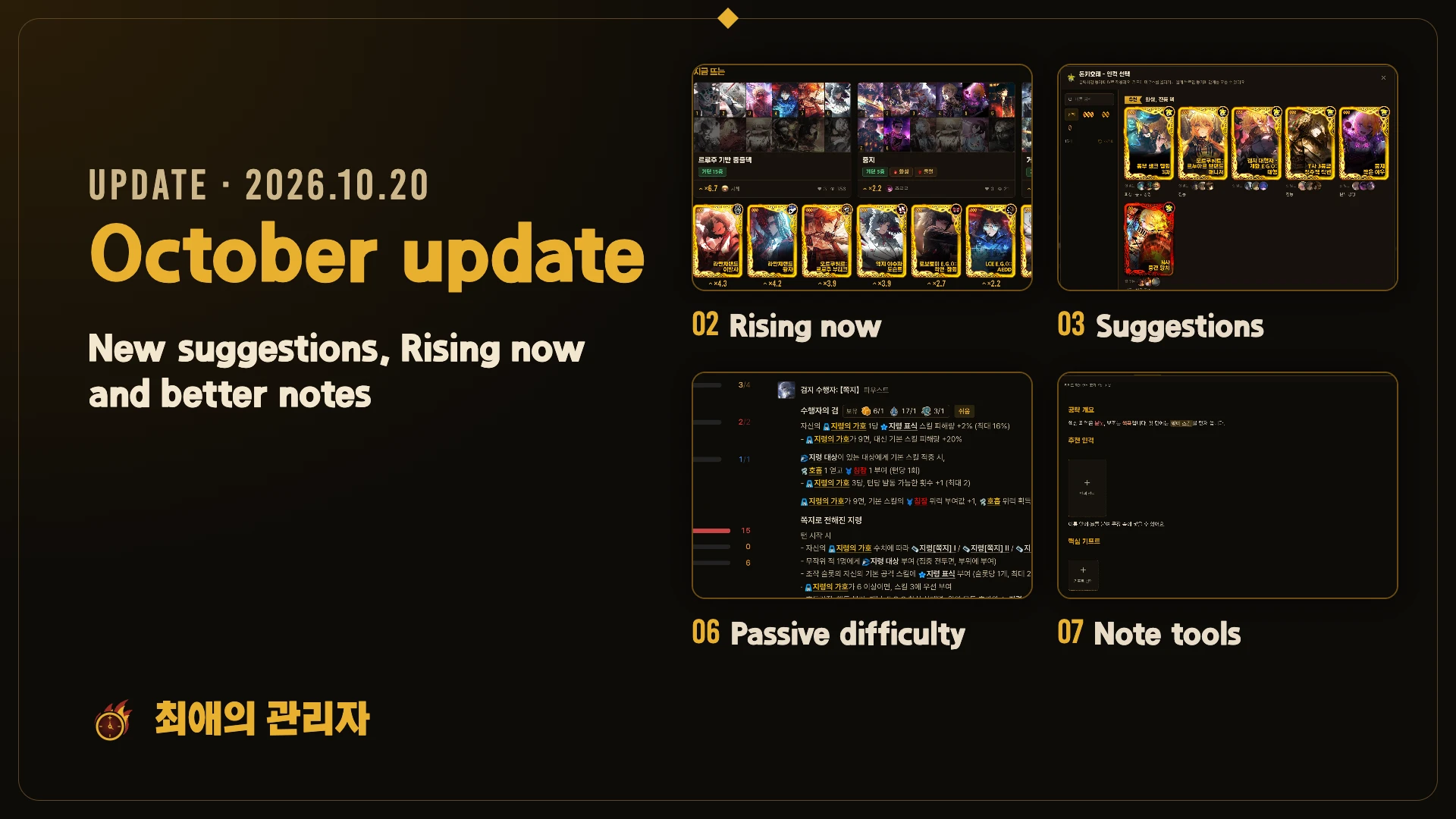
01 New board layout
The deck and plan boards now open in this order: New → Frequently visited (This week / Last 4 weeks / All time) → Rising now → For you → Frequently visited identities → Recently updated.
Every card has the same height, and on phones each row scrolls sideways.
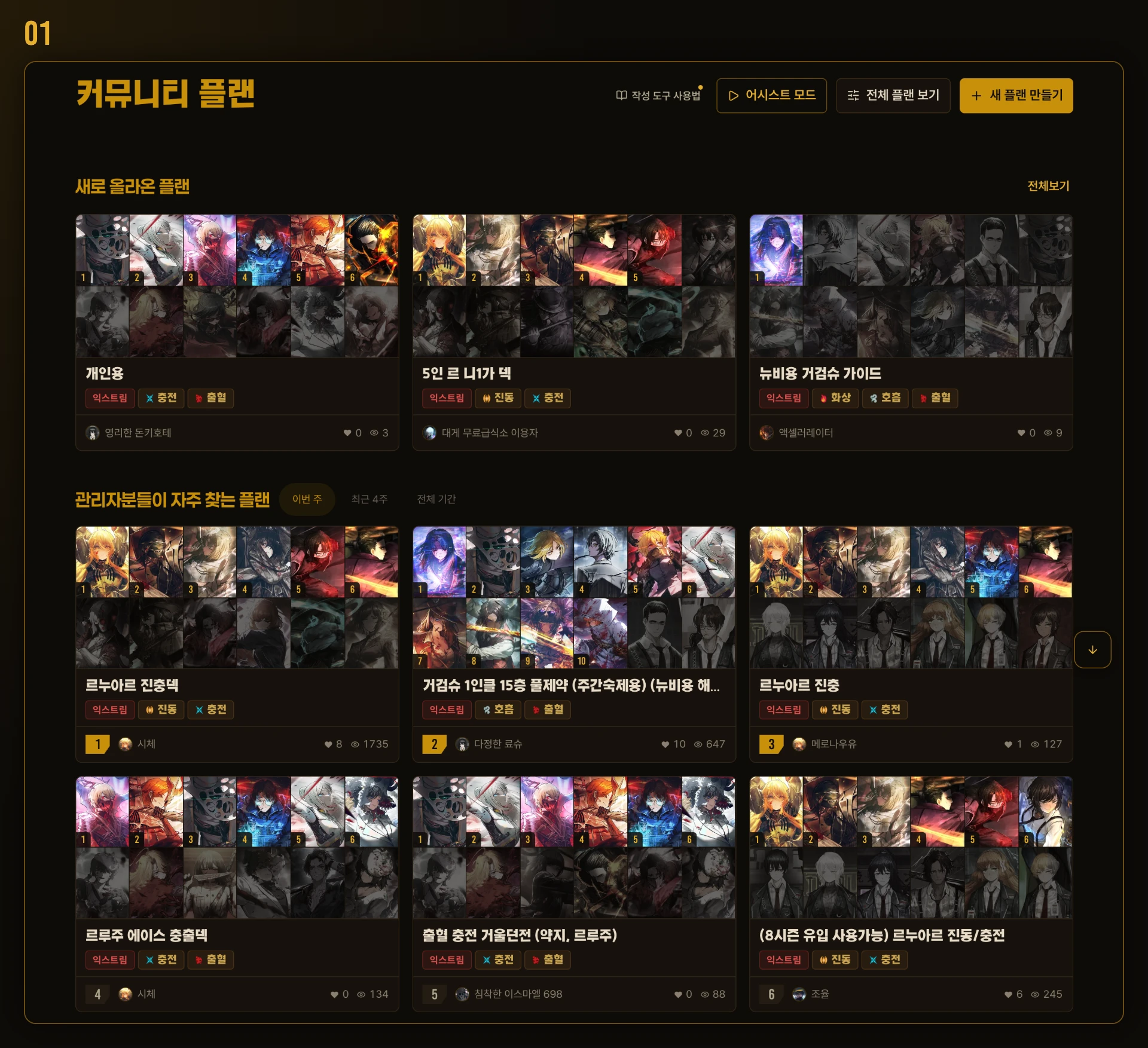
02 Rising now
Shows the decks, plans and identities people suddenly started viewing over the last 7 days. The ×multiplier under a card is how many times its share of the board's visits grew compared with the 21 days before.
Identities are counted by the visitors of decks and plans that field them in battle slots (not support), not by visits to the identity page, so identities that are actually being used rise.
At most two identities from the same team appear, so one formation cannot fill the row.
New posts, identities released in the last 14 days and the default LCB identities are left out (new posts are under "New").
The row is always filled; small rises such as ×1.1 are shown too.
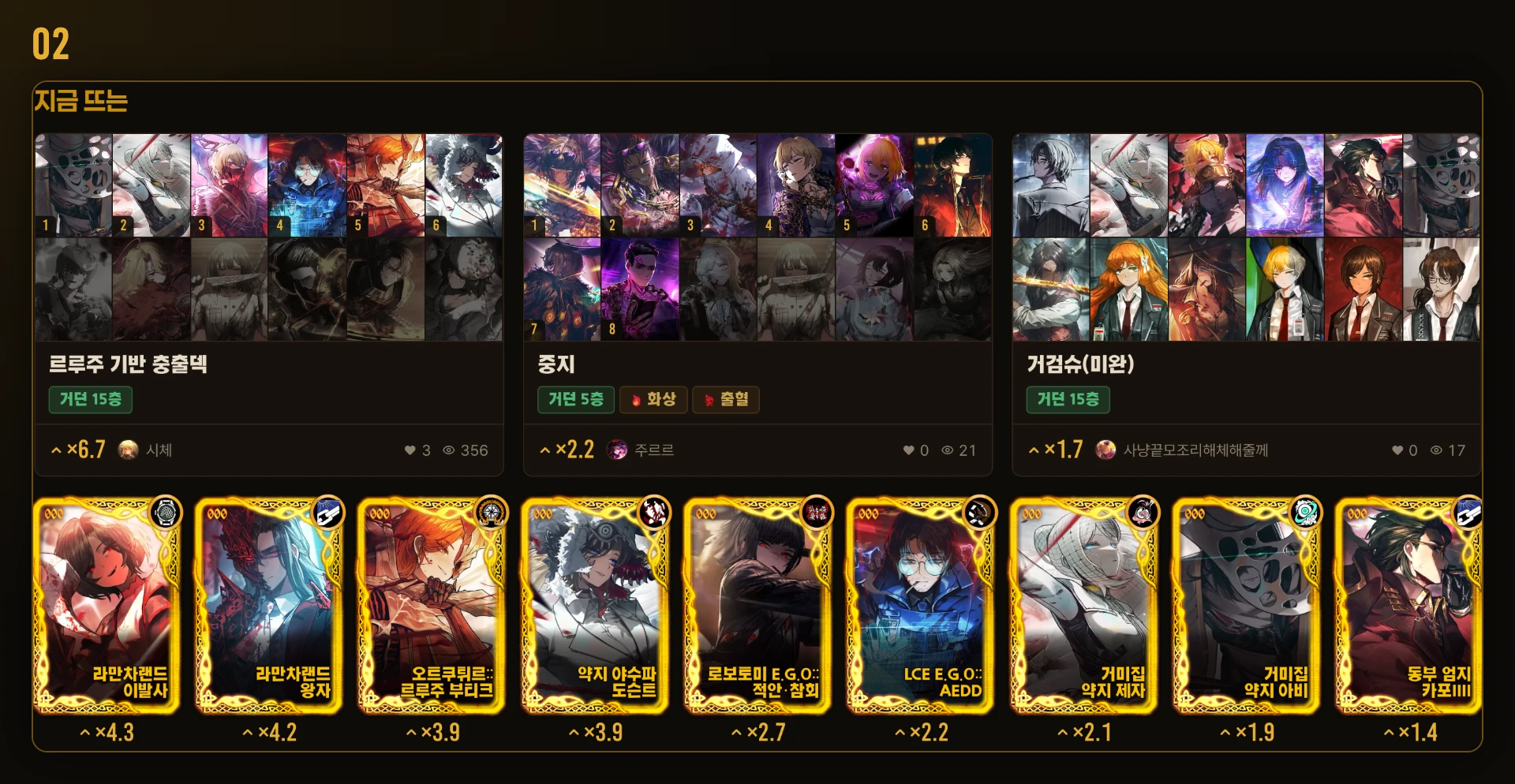
03 Rebuilt suggestions
The Suggested group at the top of the identity and E.G.O pickers in the deck builder, and of the theme pack and gift pickers in the planner, has been rebuilt.
You no longer have to set the formation order. Once you pick identities for other sinners, the whole formation is used.
What counts
How much more often than chance a candidate is fielded with your current formation in public decks and plans (averaged, so one strong pair cannot take over the list)
Matching keywords (Burn, Bleed …), affiliation and same-sin resonance
How often it is used lately, and whether it is new
A spread of choices instead of near-duplicates
Each suggestion now shows the identities it pairs with (up to three faces; a gold ring means it is already in your formation) and a one-line reason such as "Burn · Wrath resonance". The group title names the style of your formation, e.g. "Burn, Tremor deck".
In a test that hides one slot of a public deck or plan and asks for it back, the share of cases with the real pick in the top six went up:
Identity (with one other identity picked): 69% → 94%
E.G.O: 69% → 99.5%
Theme pack: 81% → 87%
Gift: 83% → 98%
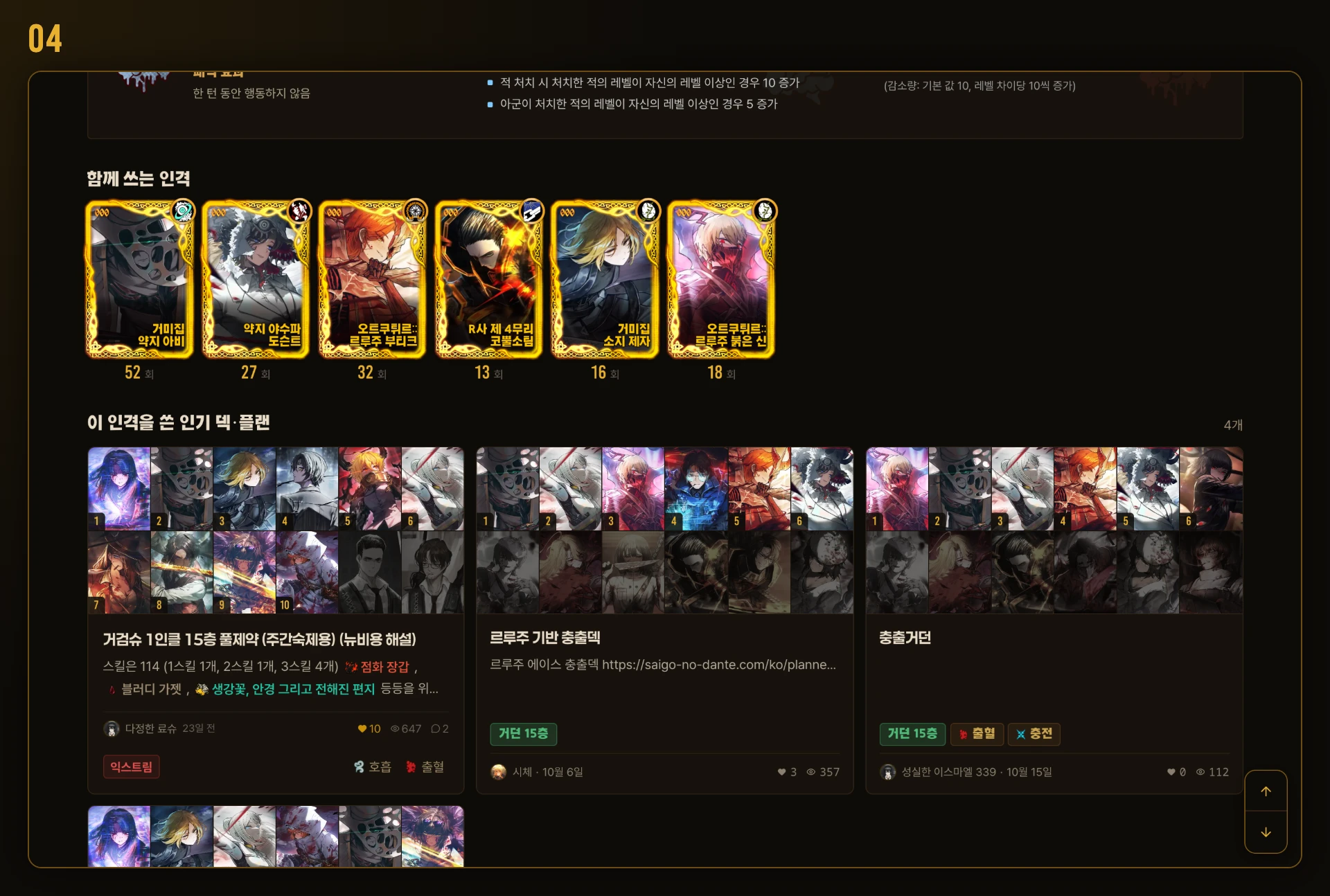
04 Identity page: fielded together, popular decks and plans
Identity pages now show the identities fielded together with it and popular decks and plans with this identity.
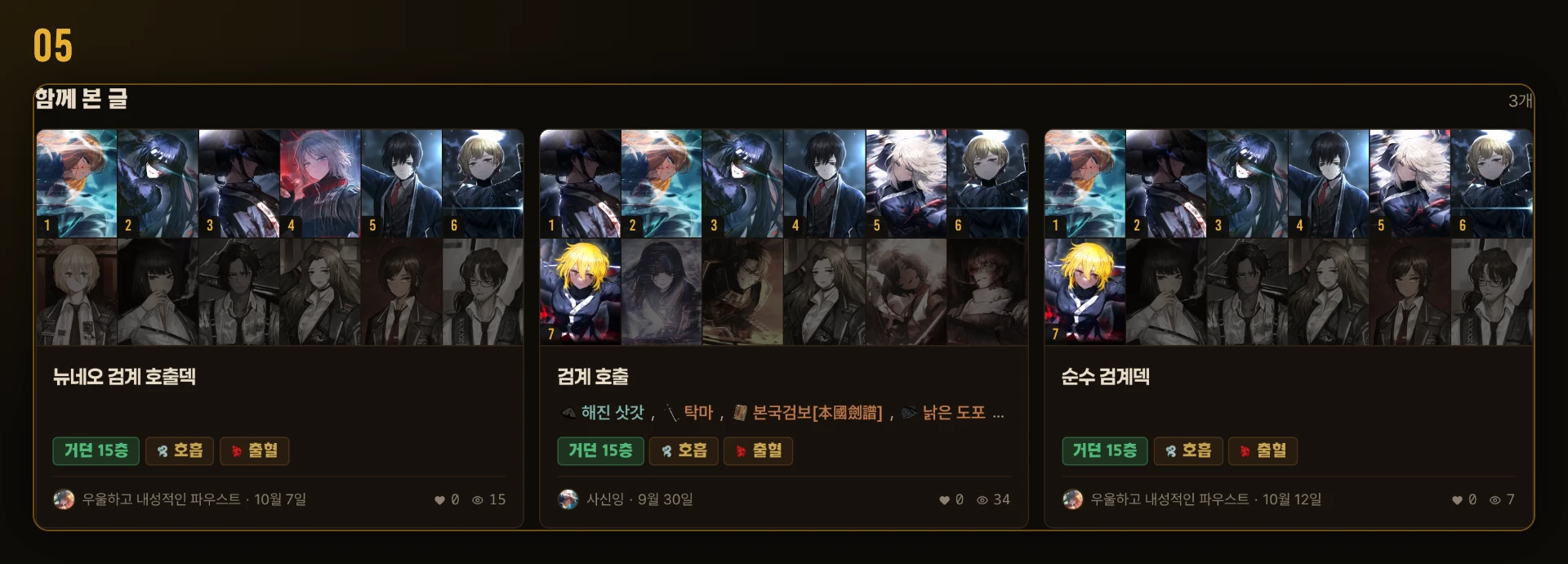
05 Deck and plan pages: viewed together
Shows other decks and plans that people who read this one also viewed, filled up with posts with a similar formation when there are not enough.
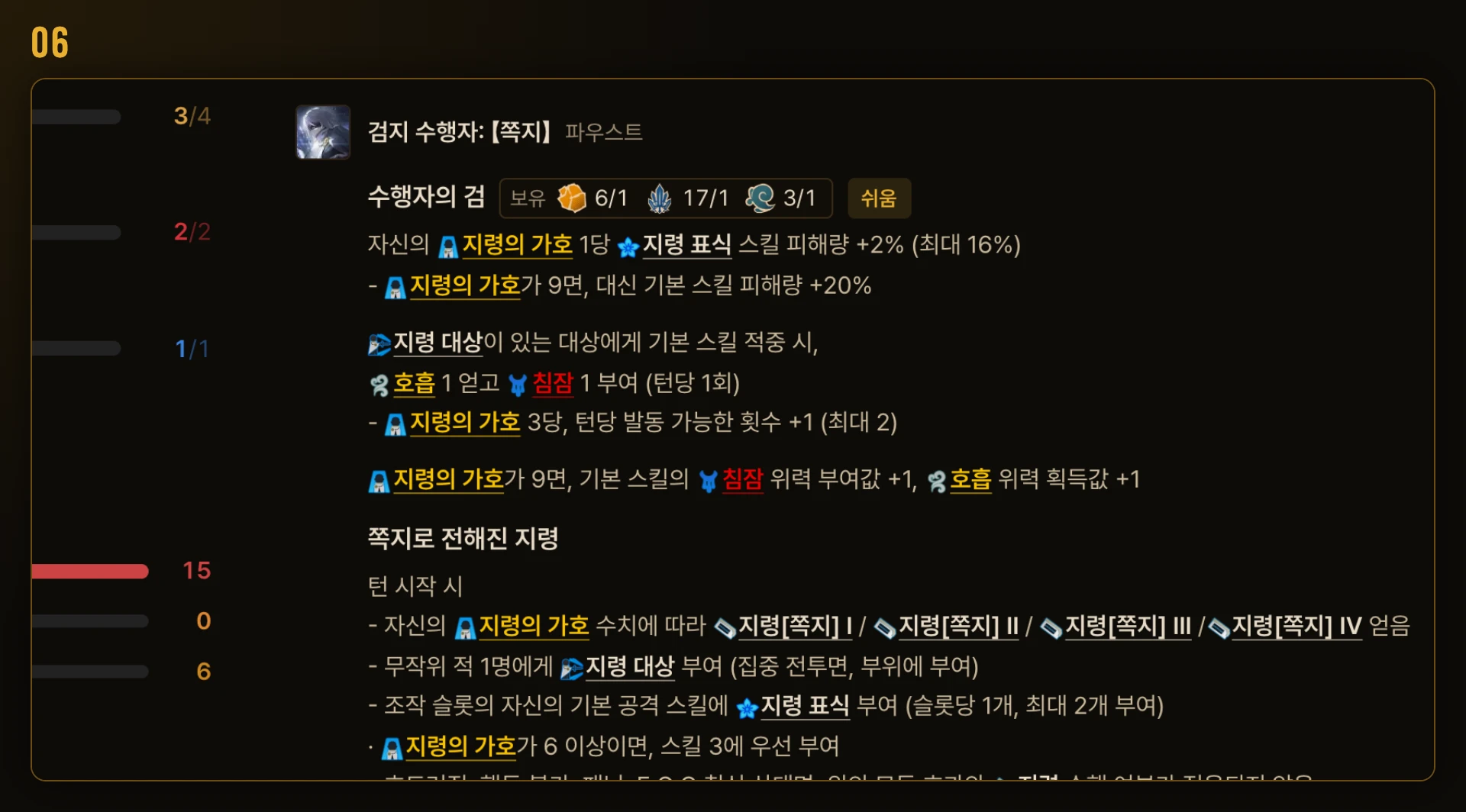
06 Passive activation difficulty
The passive section of deck and plan analysis now shows how easily a Stock or Resonance condition turns on with this formation.
Stock: how many turns it takes, with a 50% chance, to gather the resources without spending them. Within 2 turns is Easy, within 4 is Medium, longer is Hard.
Resonance: the chance of getting the required number of same-sin skills in one turn. 60% or more is Easy, 25% or more is Medium, less is Hard.
Calculated from the skills of the 7 deployed identities (Skill 1 ×3, Skill 2 ×2, Skill 3 ×1). With no skill of that sin at all it shows Impossible.
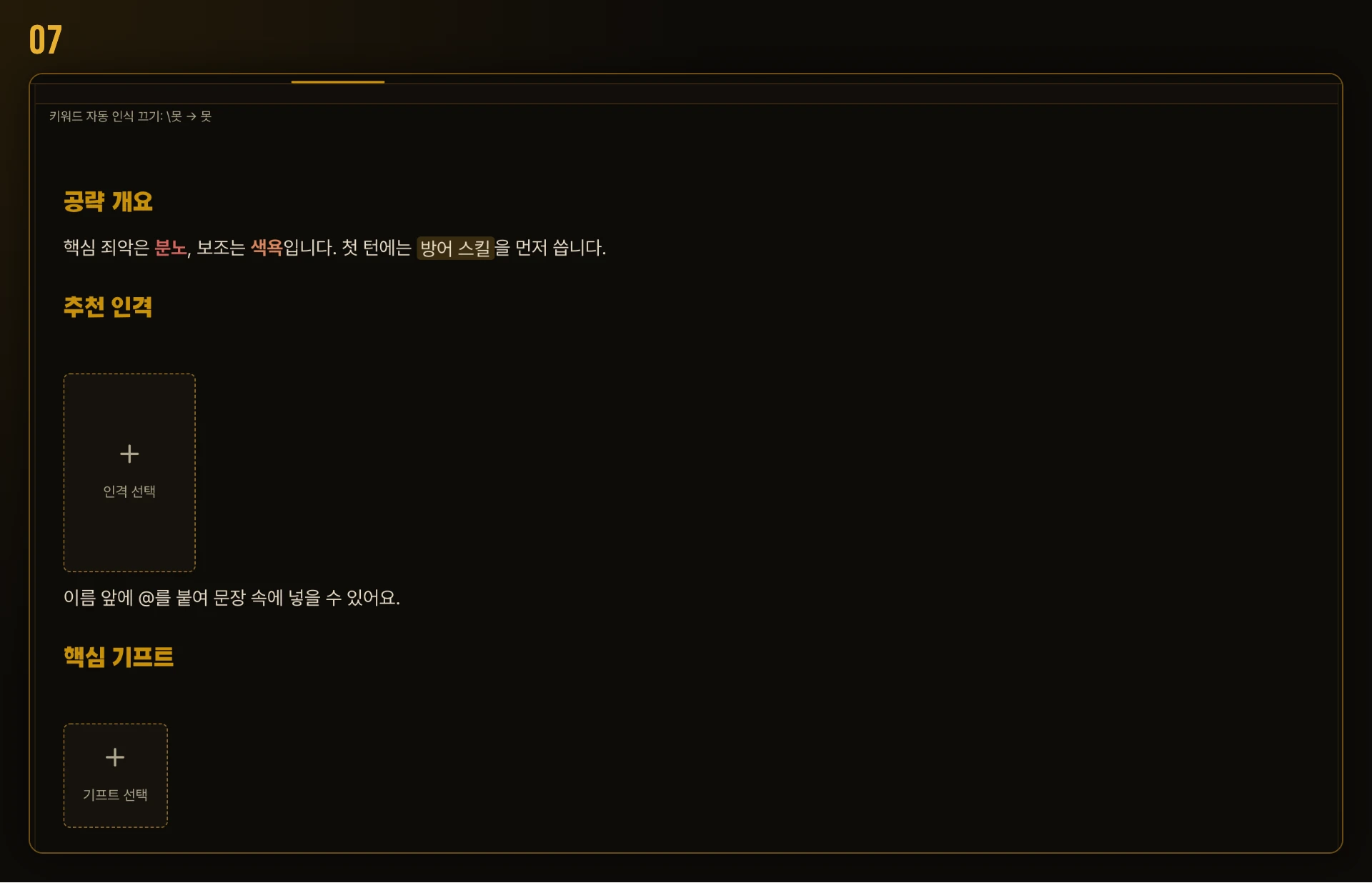
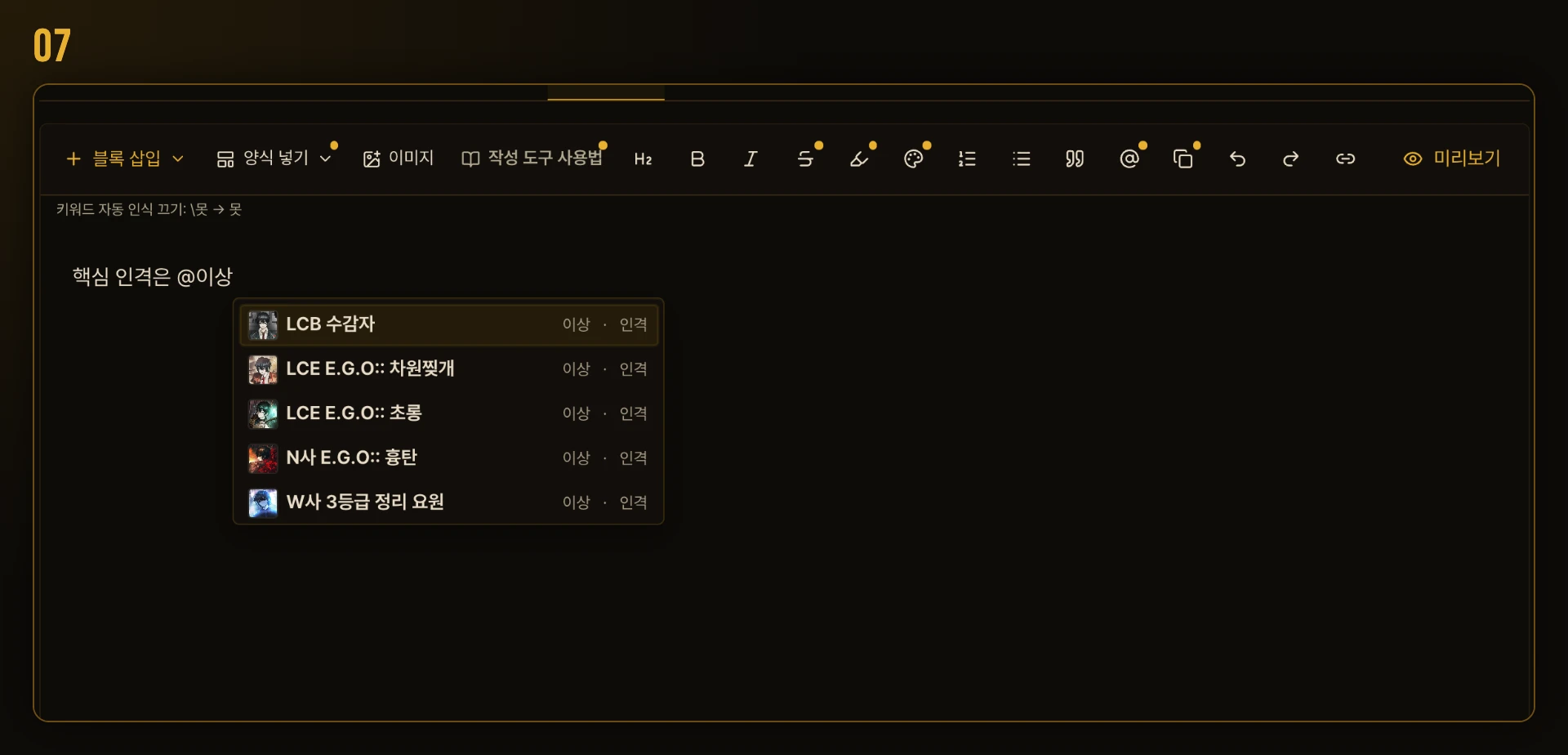
07 Note writing tools
Text styles: strikethrough, highlight and text in the seven sin colours.
@ mentions: type @ and part of a name to put an identity or E.G.O into a sentence. Korean, English and Japanese names all work, and you can narrow it down with spaces and the sinner's name, e.g. @Spiders Index Yi Sang.
Duplicate and move blocks: the duplicate button in the block tools, Ctrl/⌘ + Shift + D to duplicate, Ctrl/⌘ + Shift + ↑/↓ to move.
Paste Markdown: pasting text with # headings or - lists turns it into heading and list blocks.
Template → Guide template: inserts a skeleton with Overview, Recommended identities, Key gifts, Alternatives (accordion) and Watch out for.
Character count: shown under the editor, e.g. 1,234 / 5,000.
Draft restore: you are asked only when the autosaved draft is newer than the saved note, and told whether the restore worked.
New tools carry a small gold dot, and the writing guide now covers the new features.

08 Note reading view
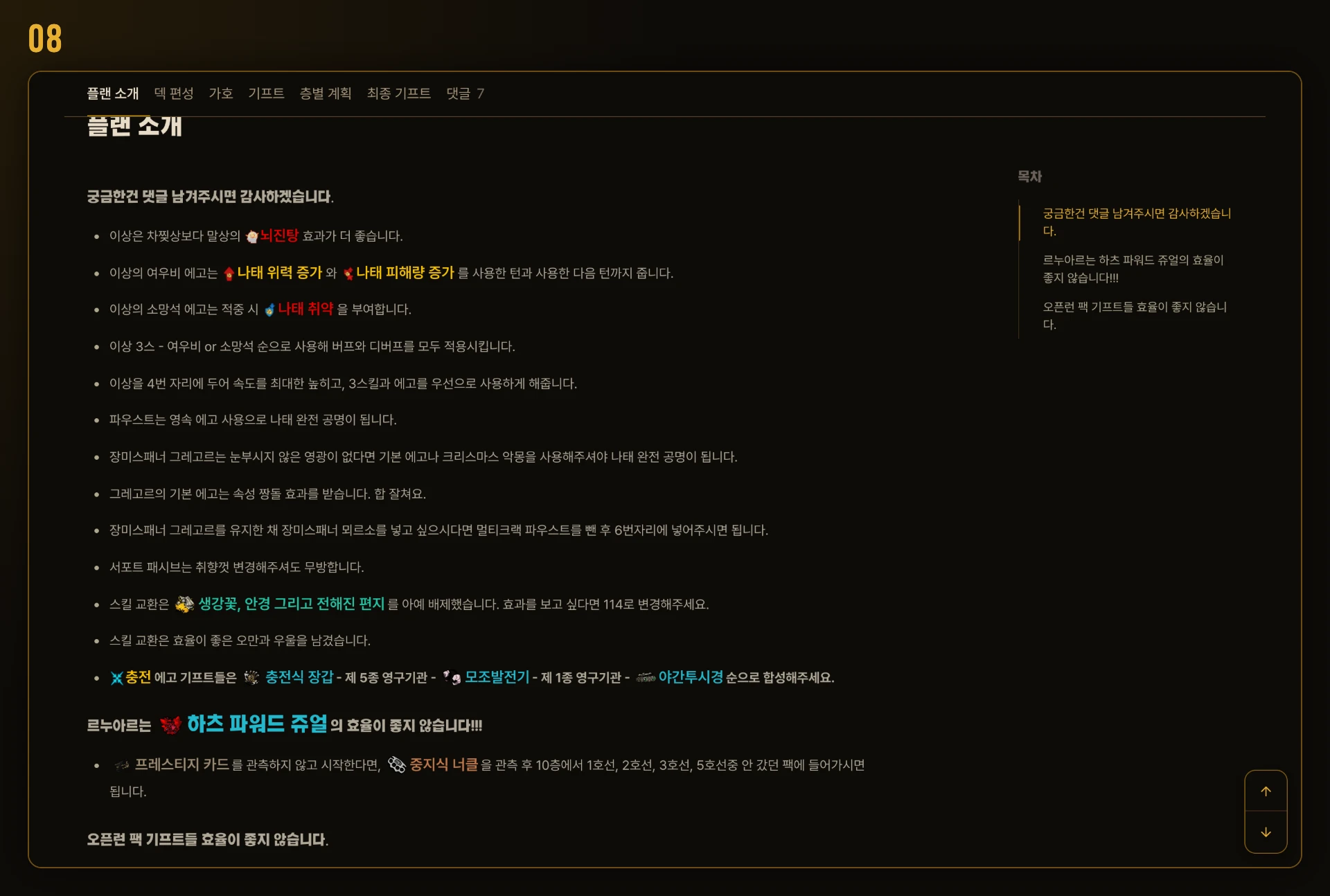
Contents: notes with three or more headings get a contents list on the right on PC, and a "Contents" bar to open on phones. Jumping around does not add Back-button steps.
Copy heading link: the link button next to a heading copies an address to that part.
Larger images: tap an image in a note to open it full screen.
Preview cards: hover or tap an identity, E.G.O mention or gift name to see it in a small card.
Collapse all / Expand all: with two or more accordions you can fold or unfold them at once.
Series: posts in a series show the series name, position (e.g. 3/3) and previous/next post in one line under the title.
09 Fixes
Board cards show the comment count again.
The note contents list no longer hides under the section tabs, and the series box now sits under the title.
A deleted post in Rising now no longer makes the whole row of post cards disappear.
Typing @ right after a mention opens the list again, and every identity with a shared name is listed.
Good to know
Suggestions and Rising now are computed from public decks and plans and visit counts; nothing that identifies a person is used.
If a suggestion looks off or something breaks, please let us know.